The 2026 Documentation Shift: Why Medical and Legal Teams Are Moving to Controlled Dictation
March 01, 2026
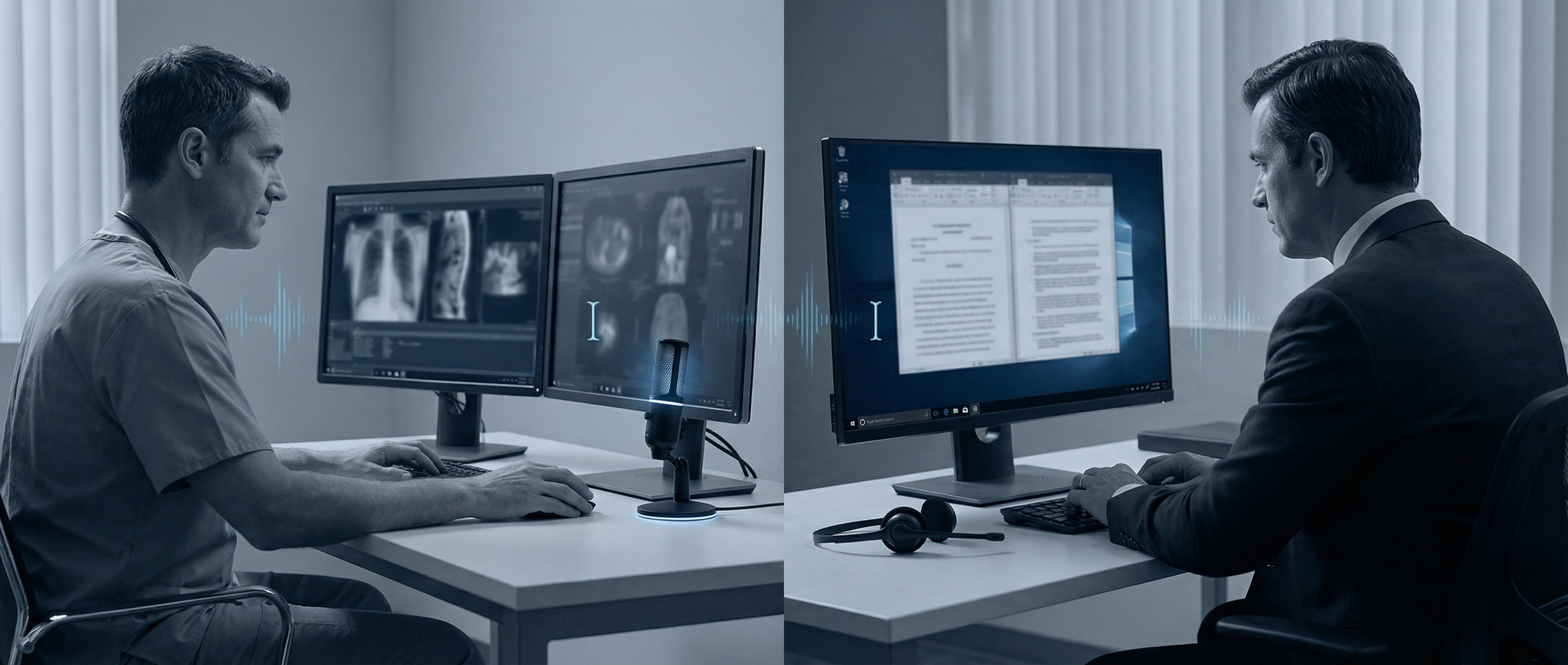
For the last two years, "ambient AI" has been sold as the future of professional documentation. Turn on a microphone, do your work, and let the model assemble your note afterward. In demos, it looks effortless.
In real clinics and law offices, the story is getting more complicated.
What looked like pure convenience is now colliding with a harder question: who owns the final statement when the text is wrong? In 2026, more teams are deciding that convenience is not enough. They want speed, but they also want command level control over exactly what lands in the chart, memo, or case file.
That shift is especially visible in high pressure environments where wording is not cosmetic. It is evidence.
Why "close enough" breaks in professional workflows
When an AI model builds documentation from a broad conversation, it has to infer intent. Most of the time, that works. The problem is what happens in the edge cases, because edge cases are often where legal and medical risk lives.
A clinician might say three findings, then revise one aloud while examining a patient. A lawyer might brainstorm alternate positions before stating the one they actually want in the record. Humans understand this context naturally. Models often compress it.
The result is not always a dramatic hallucination. More often, it is subtle drift:
- A confidence level sounds stronger than intended.
- A timeline is smoothed into something cleaner than what was actually said.
- A caveat disappears because it looked secondary.
That kind of drift is expensive. It creates rework at best and liability at worst.
The hidden cost of passive capture
A lot of teams adopted ambient tools to reduce after hours admin load. That goal is valid. Nobody wants another evening of documentation.
But passive capture can quietly move effort from typing to verification. Professionals still need to read every line, cross check key statements, and fix phrasing that could be misread later. If they skip that step, they carry risk. If they do it thoroughly, the time savings can shrink.
In other words, the workflow can become: "fewer keystrokes, more anxiety."
That is why many organizations in 2026 are redesigning around a simpler principle: capture exactly what the professional intends to say at the point of intent.
Controlled dictation is not old school anymore
People hear "dictation" and picture clunky legacy software. That is outdated.
Modern controlled dictation is fast, direct, and correction friendly. The professional speaks the exact language they want. The system transcribes in real time into the active field. If a phrase is off, they override it immediately and move on.
This matters in both medicine and law:
- In medicine, a single modifier can change clinical meaning.
- In legal writing, one imprecise sentence can widen exposure.
Controlled dictation keeps authorship with the expert while still removing typing friction.
Why Windows and VDI are central to this shift
A lot of public AI discussion assumes clean, browser first workflows. Enterprise reality is messier.
Hospitals, insurers, and legal operations still run critical systems on Windows desktops, remote sessions, and virtualized infrastructure like Citrix and RDP. In those environments, latency and input reliability are not minor usability issues. They determine whether a tool is usable at all.
If transcription lags, drops words, or fails to inject text reliably in a virtual desktop, adoption collapses no matter how impressive the model is in a benchmark.
That is one reason the 2026 shift is practical, not philosophical. Teams are picking tools that behave predictably inside the stack they actually use every day.
The rise of "active documentation" as a risk strategy
A useful way to frame the change is this: teams are moving from passive documentation to active documentation.
Passive documentation asks AI to reconstruct what happened.
Active documentation captures what the professional deliberately states.
That distinction sounds small, but it changes accountability. With active documentation, the expert remains the author and the AI remains an accelerator. With passive reconstruction, the AI can drift into co author territory, and responsibility becomes fuzzier.
In regulated workflows, fuzzy responsibility is a bad trade.
What teams now ask before adopting any documentation AI
The procurement conversation has matured fast. In 2026, serious buyers usually ask five questions:
- Can this run reliably in our real Windows and VDI environment?
- Can users correct text instantly without workflow breakage?
- Is there a clear audit trail of what was said and what was edited?
- Does the system preserve nuance, qualifiers, and uncertainty language?
- Does this reduce total cognitive load, not just keyboard load?
These are healthy questions. They push vendors beyond flashy summaries toward operational trust.
Where DictaFlow fits
This is exactly the use case DictaFlow is built for: Windows native, professional speed dictation with direct control in the moment of writing.
The focus is simple:
- Fast speech to text that keeps up with expert pace.
- Hold to Talk control so users choose when input is active.
- "Actually Override" correction flow for immediate mid sentence fixes.
- Reliable behavior in Citrix and RDP heavy environments.
The goal is not to replace professional judgment. It is to remove input friction without diluting authorship.
The bottom line
AI documentation is not going away. It is getting stricter.
The market in 2026 is separating into two categories: tools that generate plausible text and tools that preserve professional intent under pressure. For medical and legal teams, that second category wins more often.
Speed still matters. But in high stakes work, controlled speed beats automated guesswork.
If your team is re evaluating documentation workflows this year, the key question is not "How little can humans write?" It is "How fast can experts produce precise language they are willing to stand behind?"
That is the real productivity frontier.
Try DictaFlow: https://dictaflow.io/
Related DictaFlow Guides
Explore the pages built for the exact workflows these posts keep touching: Windows dictation, Citrix/VDI, medical documentation, legal drafting, and side-by-side comparisons.
Ready to stop typing?
DictaFlow is the only AI dictation tool built for speed, privacy, and technical workflows.
Download DictaFlow Free